

Organize, Secure, and Reclaim Your Mac Storage
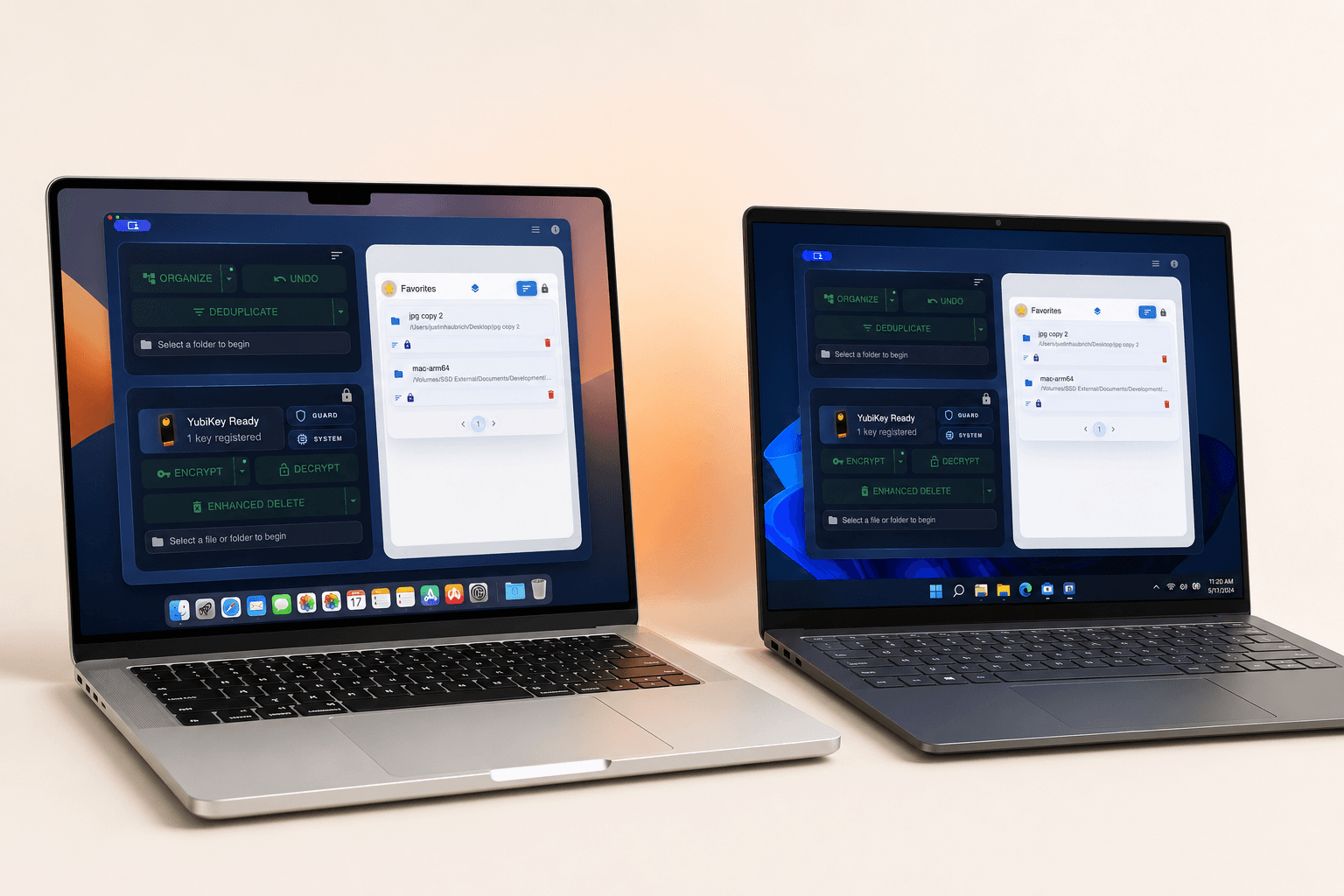
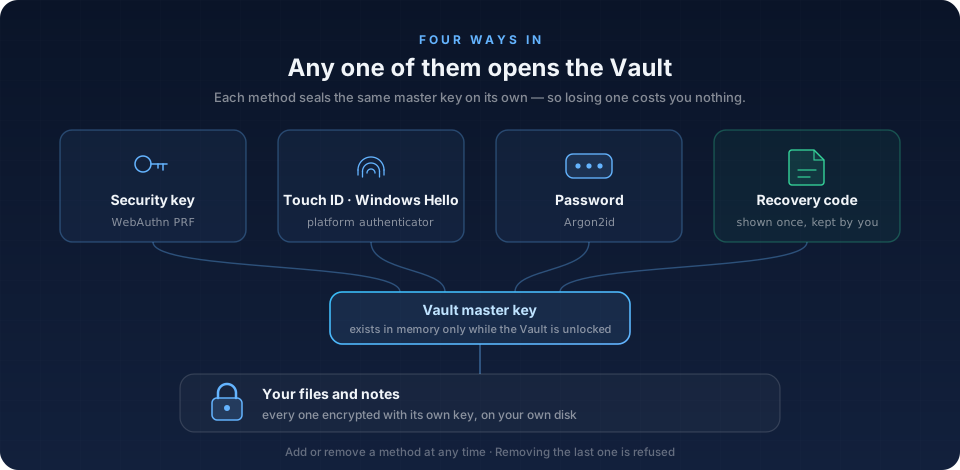
One-click file organization. Duplicate detection that actually works. Device-aware secure deletion for HDDs and SSDs. AES-256 encryption with hardware key support. All local, all private.
Lifetime license β use on up to 3 Macs. No subscription.
Secure checkout via Lemon Squeezy
Try VaultSort risk-free. Not satisfied? Get a full refund, no questions asked.
Built for professionals managing complex file systems
Structured File Organization
Transform unstructured directories into systematic, categorized hierarchies.
Unstructured
Systematically Organized
Used by Professionals Who Manage Complex File Systems
Researchers, developers, legal professionals, and creators rely on VaultSort
"I just bought VaultSort and so far am very satisfied. I'm primarily using it for deleting files. Finally a tool that actually permanently removes data."
Jens
Verified Buyer
"VaultSort keeps my research files organized and secure. The duplicate detection alone saved me 15GB. Perfect for managing academic projects!"
Man Osman
Academic Researcher
"As a legal professional, I need to ensure client files are truly gone. VaultSort's DOD-standard deletion gives me peace of mind."
Sarah K.
Legal Professional
Why Finder Falls Short at Scale
Standard macOS tools work for casual use. Complex file systems require specialized capabilities.
macOS Finder
- Deleted files remain recoverable
- No content-aware duplicate detection
- No bulk organization tools
VaultSort
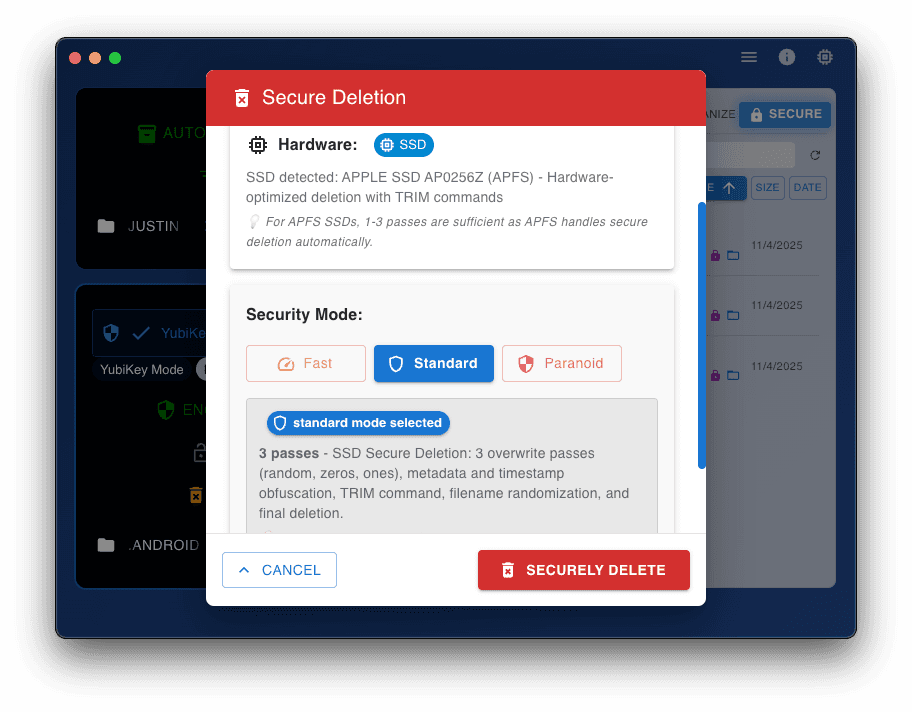
- DOD-Standard Deletion β Cryptographically secure
- Hash-Based Detection β Precision duplicate matching
- Rule-Based Sorting β Configurable automation
Common File System Challenges
Professionals managing large file systems encounter these operational constraints:
Storage Constraints
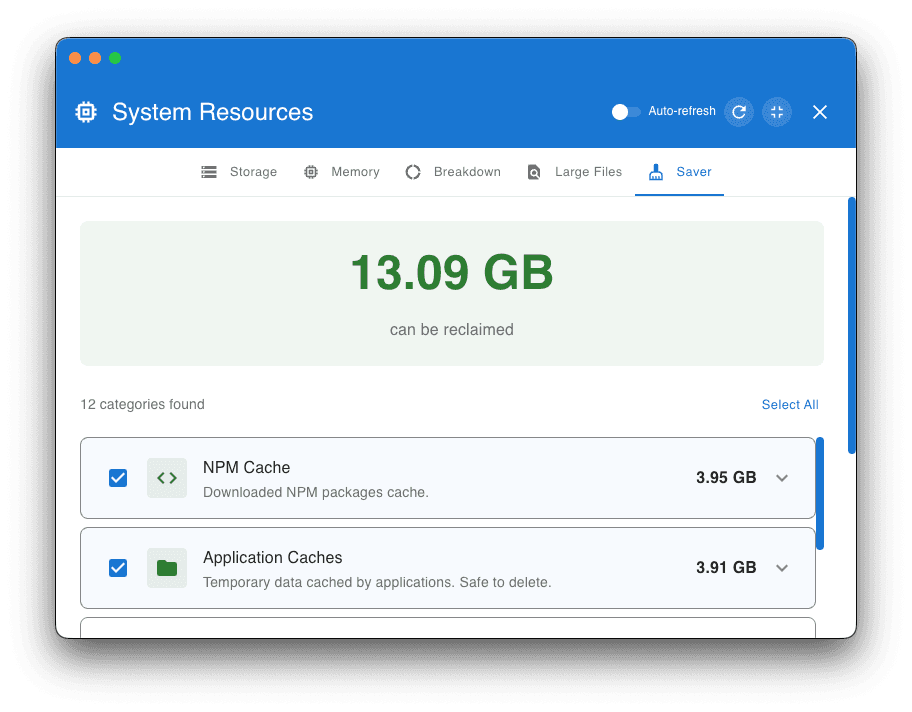
Accumulated duplicates and unstructured data consume valuable disk space at scale.
Structural Entropy
Manual organization cannot keep pace with the volume of incoming files across projects.
Data Lifecycle Requirements
Standard deletion leaves recoverable data, creating compliance and security exposure.
Operational Overhead
Purpose-Built for These Challenges
VaultSort provides systematic solutions for file organization, deduplication, and secure erasureβdesigned for professionals who manage complex file systems.
View CapabilitiesProduct Overview
See how VaultSort handles large-scale file operations
Core Capabilities
Intelligent Classification
Automated file categorization using smart type detection. Rule-based organization + AI Job Builder.
Duplicate Analysis
Hash-based content comparison identifies redundant files across directories.
Secure Erasure
Device-aware deletion: DOD 5220.22-M for HDDs, advanced multi-pattern algorithm for SSDs.
Product Capability Highlights
Rapid ScanAuto-Organize
Auto-playing β’ Hover to pause
1 / 24
Smart Categorize: local AI that reads your files.
A ~470 MB on-device model reads PDFs, Word docs, Markdown, and code β then proposes categories from your actual library. No cloud. No API key. Nothing leaves your Mac.
Professional File Intelligence for macOS
One tool for organization, deduplication, and secure erasure. Local-first architecture with no cloud dependencies.
Lifetime license β use on up to 3 Macs. Ongoing updates included.
Documentation and Guides

Smart Categorize: AI File Organization for Mac That Actually Reads Your Files (and Never Sends Them Anywhere)
Smart Categorize is VaultSort's on-device AI that reads the inside of your files and sorts them into folders that mean something β Receipts, Tax Returns, Recipes, whatever your library actually contains. No cloud, no API key, no rules to write. This is the new standard for Mac file organization.

AI Storage Advisor: How VaultSort Uses AI to Tell You Exactly What to Clean on Your Mac
Stop guessing where your Mac storage went. VaultSort's AI Storage Advisor analyzes your real disk data and gives you personalized, actionable recommendations with one-click actions β powered by your own API key.

How to Free Up Space on Mac: The Complete 2026 Guide
Mac running low on storage? Here are the most effective ways to reclaim gigabytes of disk space β from clearing caches to finding hidden duplicate files.
Questions? We're here to help.
Contact us