The pitch for an AI file organizer is easy to like: point it at a messy Downloads folder or a decade of documents, describe what you want, and let it sort everything. For once the technology is genuinely good at this. Reading a file and deciding it's an invoice, a contract or a tax form is exactly the kind of judgement language models handle well.
The risk is just as easy to see. A tool that moves files can move them into the wrong place, and a confident wrong answer across 4,000 files is worse than doing nothing. So the question isn't just "does it use AI?" It's where the AI runs, what it sees, and what stops a bad guess from becoming a mess.
Two Kinds of "AI Organizer"
The phrase covers two quite different approaches:
- AI that sorts files by reading them. The tool looks at each file's content and groups similar files: invoices with invoices, project notes with project notes. You get categories drawn from your actual files, not a fixed list.
- AI that writes the rules for you. You describe what you want in plain English ("move PDFs older than a year into Archive, by year"), and the AI turns that into precise rules a normal, predictable engine runs. The AI never touches the files; the rules do.
The second is easier to trust, because you can read the rules before anything runs. The first handles cases where you couldn't write the rule yourself. A good tool offers both.
Where the AI Runs: Your PC or Someone's Server
On Windows you have three realistic options, with very different privacy trade-offs:
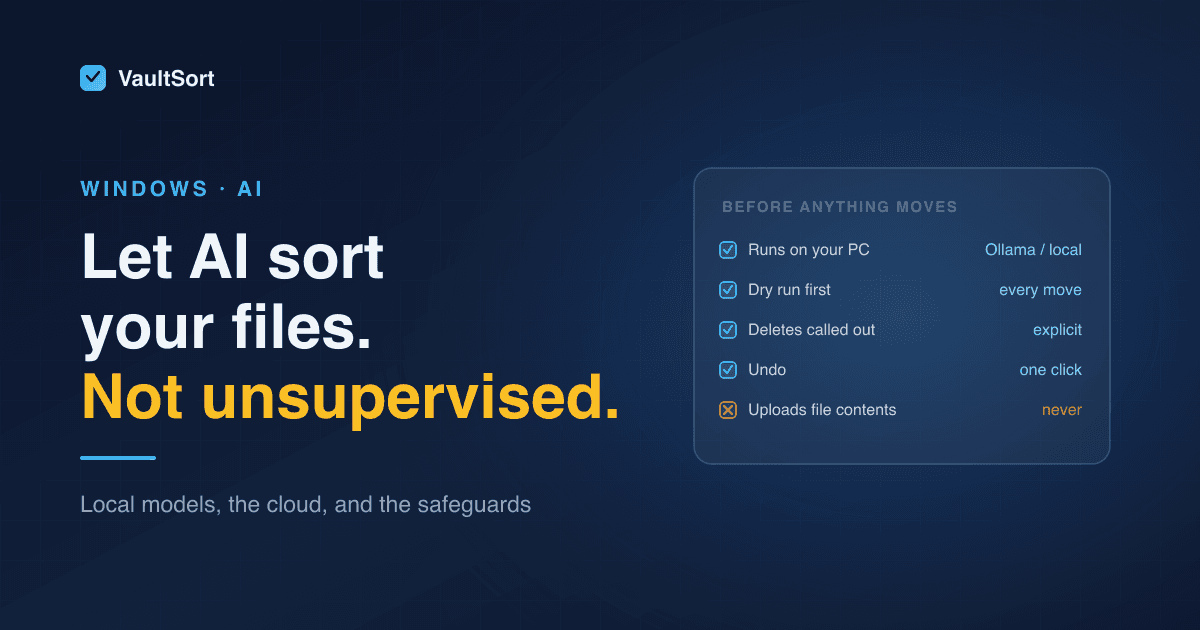
- A model on your own PC. Nothing leaves your machine. Quality and speed depend on your hardware.
- A local model server you run yourself, like Ollama. It's free and private, and it runs open models on your own PC. On Windows, your graphics card's video memory (VRAM) matters most for speed. Without a capable GPU it still works on the processor, just much more slowly.
- A cloud model (OpenAI, Anthropic, Google Gemini) through an API key. These are the most capable, cost a little per request, and something is sent to the provider.
If you use a cloud model, find out exactly what gets sent. "Your prompt" is fine. "The names of every file in your folders" is a privacy decision. "The contents of your files" is a much bigger one. A trustworthy tool tells you precisely.
The Safeguards That Actually Matter
Whichever model you use, these are what make letting software reorganise your files reasonable:
- A dry run first. You should see every move before anything happens: what goes where, and what, if anything, gets deleted.
- Deletes and overwrites called out, not buried in a list of 4,000 moves.
- Undo. One click to put everything back where it was.
- Rename on collision, not overwrite. When two files want the same name, keep both.
- Editable results. AI-proposed categories you can rename, merge or drop before anything moves.
Small local models in particular make more mistakes than large cloud ones. In our own testing, a small 7B model once proposed sending recent files to the Trash. With a dry run and an explicit delete warning, that's an amusing mistake you catch. Without them, it's lost work.
How VaultSort Does It on Windows
VaultSort for Windows includes both approaches. Both are in the paid licence:
Smart Categorize reads your files on your own PC and proposes categories from your actual library:
- The model is downloaded once and runs locally. No cloud, no API key, no network calls while it classifies.
- It reads PDFs, Word documents, spreadsheets, slide decks, ePub, plain text, Markdown and source code, plus text in images with optional on-device text recognition.
- You can rename, merge, split, drop or add categories, see a dry-run preview, and undo.
- More on Smart Categorize.
The AI Job Builder turns a plain-English request into organization rules:
- On Windows, it runs on Ollama on your own PC, or on your own OpenAI, Anthropic or Google Gemini key. (Apple Intelligence is the Mac-only option.)
- With Ollama on your PC, nothing leaves the computer.
- With a cloud key, the provider sees your request, the folders the job works on, and the rule structure. It never sees file contents or the names of the files inside your folders. Your key is stored encrypted and goes straight to the provider, never to VaultSort.
- Every answer is checked. Deletes and overwrites are called out, and the job runs as a dry run before anything moves.
- More on the AI Job Builder.
Cost per request is $0 with Ollama or Gemini's free tier, and about a cent or less with OpenAI or Anthropic. For Ollama, a 14B model on a PC with plenty of video memory gives the most reliable rules; smaller models work but need more of your review.
Which Should You Use?
- Maximum privacy: Smart Categorize or Ollama. Nothing leaves your PC.
- Best results on modest hardware: a cloud model, with a clear statement of what's sent.
- Either way: don't use any organizer, AI or not, that can't show you a dry run and undo it.
Organizing files on Windows without AI? See organize files automatically on Windows. Or download VaultSort for Windows and try it free.