title: "Apple Intelligence and Ollama in VaultSort: Private AI That Never Leaves Your Computer" date: "2026-10-02" excerpt: "VaultSort 5.5 runs AI on your own computer. Build file rules and get storage advice with Apple Intelligence or Ollama. No cloud, no API key, no per-request cost." coverImage: "/images/blog/private-ai-apple-intelligence-ollama.png" categories: ["AI", "Apple Intelligence", "Ollama", "Privacy", "Organization", "Product Update", "macOS", "Windows"]
Asking an AI to organize your files has always come with a catch. To write the rules, the model has to see exactly what you want done, where your folders live and how your disk is laid out. Until now, with VaultSort's AI features, that meant sending all of it to OpenAI, Anthropic or Google, and paying for every request.
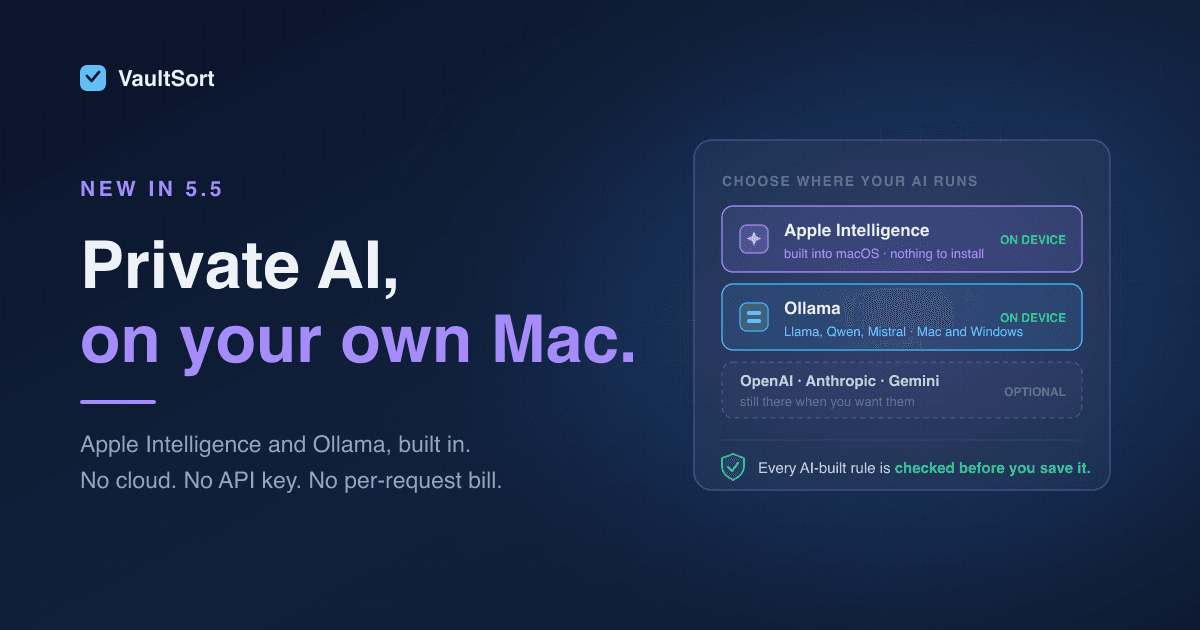
VaultSort 5.5 removes the catch. Build with AI, Revise with AI and the AI Storage Advisor can now run entirely on your own computer, using one of two engines:
- Apple Intelligence, the language model built into macOS. Nothing to download, no account, no key.
- Ollama, which runs the open model of your choice (Llama, Qwen, Mistral and more) on your Mac or Windows PC.
Your requests and folder names stay on your machine. Everything works offline, and every request is free. That's the whole pitch, and it's the version of AI file organization we wanted to build from day one.
What runs on-device now
All three AI features in VaultSort can use a local model:
- Build with AI. Describe a job in plain English, such as "move every PDF in Downloads into Documents/PDFs". VaultSort turns it into a complete set of rules in the Visual Rule Builder, ready to preview and run.
- Revise with AI. Open an existing job and ask for a change: "also sort images by year", "skip the Archive folder". Only that part of the rules changes, and you see a diff before accepting.
- AI Storage Advisor. In Storage Analysis, VaultSort summarises what's using your disk and the model recommends where to start: caches to clear, folders to review, duplicates to hunt down.
Apple Intelligence: the model that's already on your Mac
If your Mac runs Apple Intelligence, VaultSort can use it with one click. There's nothing to install and no model to choose; macOS keeps the model up to date for you. Open VaultSort → Settings… → AI, choose Apple Intelligence, and press Use Apple Intelligence.
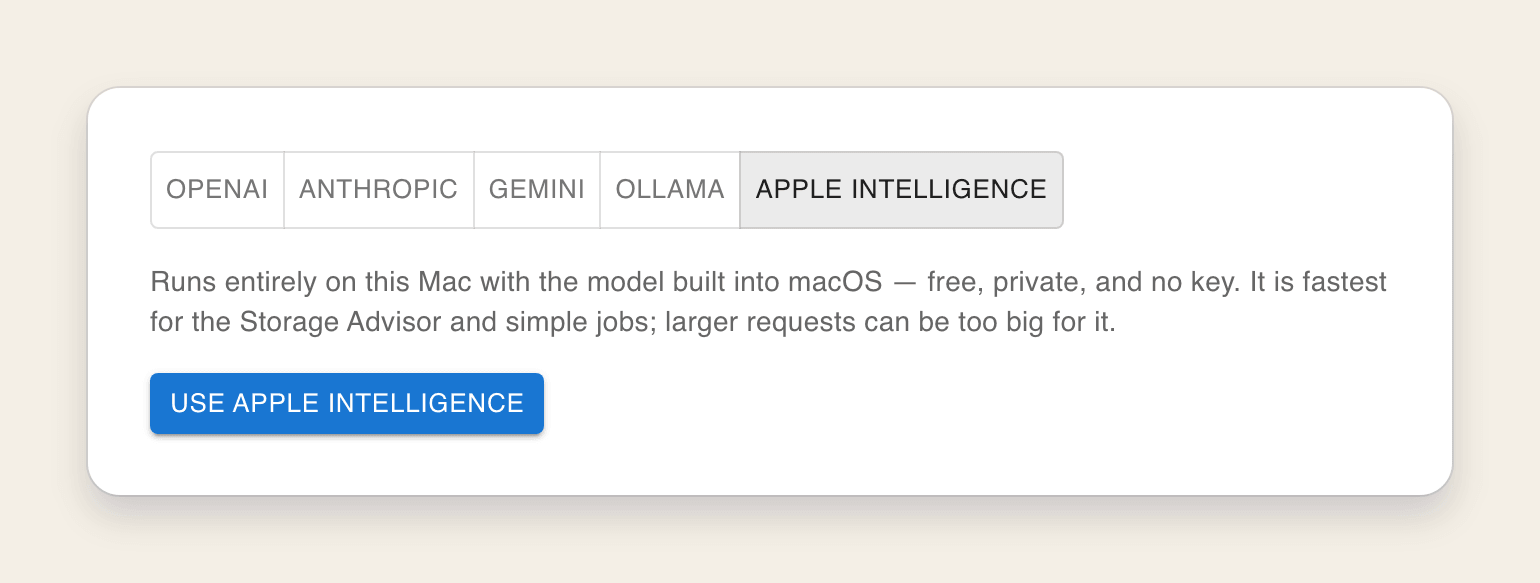
It's fast. On our test Mac, the Storage Advisor came back in about ten seconds, and a simple Build with AI request in about twenty.
Apple's on-device model is deliberately compact, so it has limits. It shines on the Storage Advisor and on clear, focused jobs. For a sprawling request, such as a dozen categories with exceptions, it can run out of room, and VaultSort tells you so rather than handing back half a job.
That's where the best feature of this release comes in.
On-device first, your provider when it's needed
If you already use OpenAI, Anthropic or Gemini, you don't have to choose. Turn on Use Apple Intelligence first for the Storage Advisor, for Build and Revise with AI, or for both:
- VaultSort tries the free, private, on-device model first.
- It hands the request to your cloud provider only when the on-device model can't handle it, because the request is too large or its answer doesn't pass VaultSort's checks.
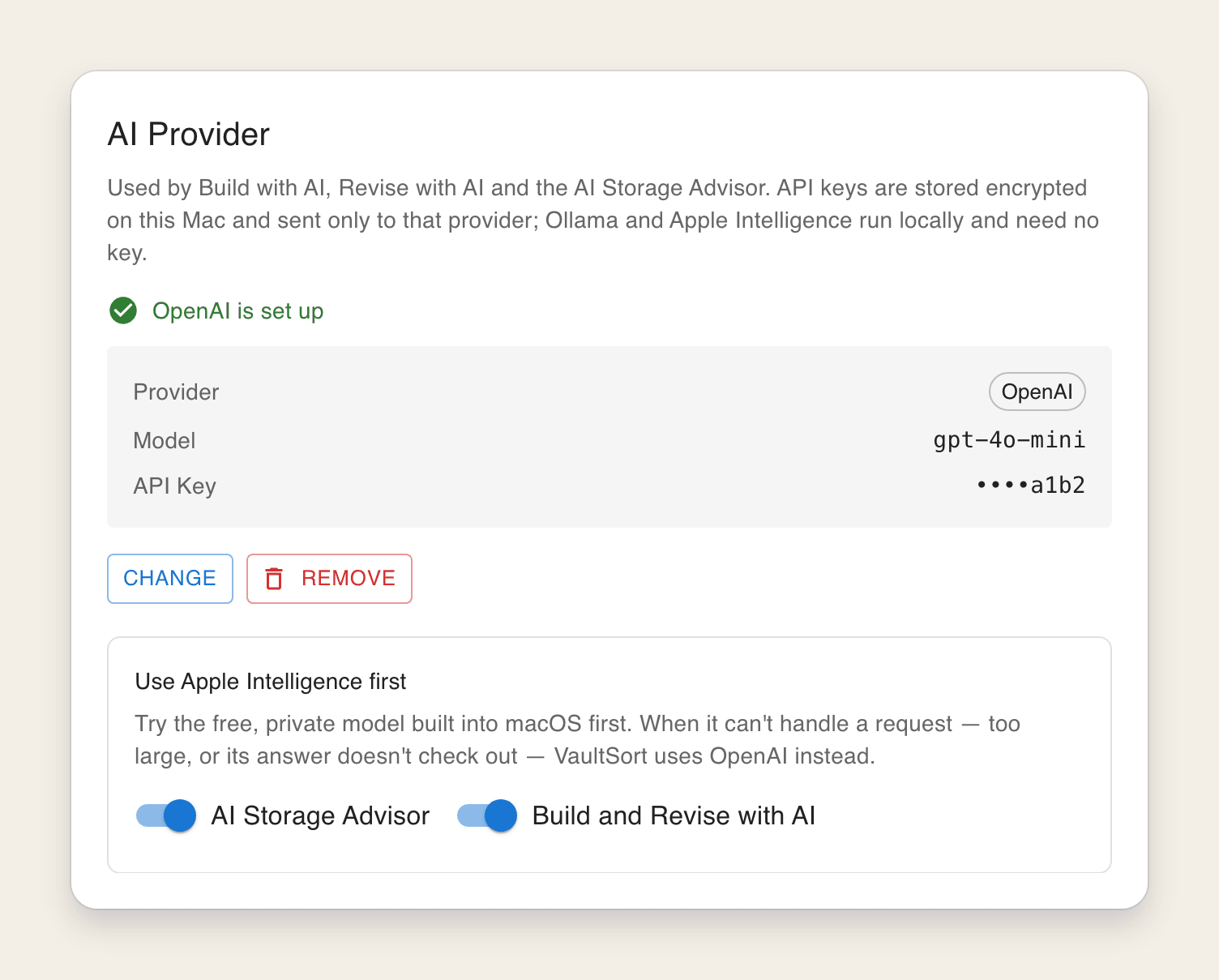
Most everyday requests never leave your Mac. The hard ones still get a frontier model. You pay only for those.
Ollama: any open model, on Mac or Windows
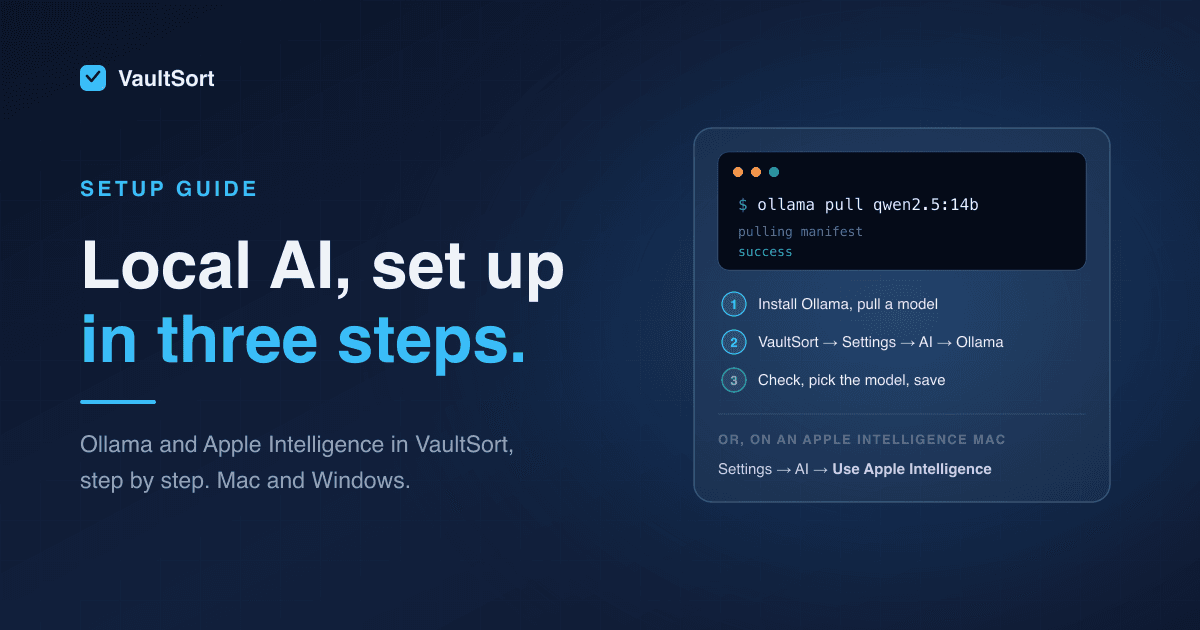
Ollama is the easiest way to run open-weight language models locally, and VaultSort now speaks to it natively. Install Ollama, download a model, and point VaultSort at it: Settings → AI → Ollama → Check → pick your model → Validate & Save.
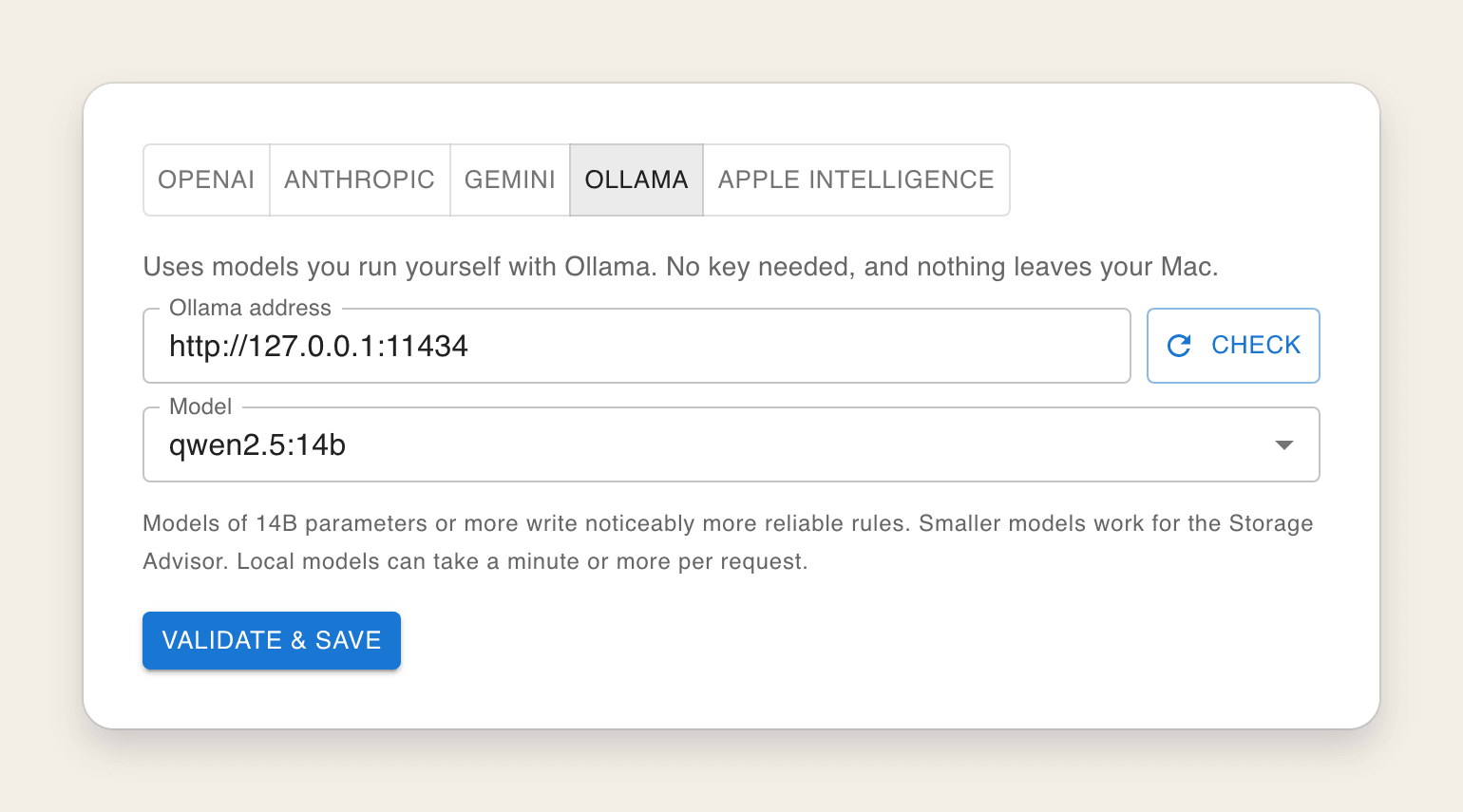
Ollama is the choice when you want:
- Windows. Apple Intelligence is Mac-only; Ollama runs on both.
- A bigger brain. If your machine has the memory, a 14- or 32-billion-parameter model handles complex, many-folder jobs better than any built-in model.
- Your choice of model. Try Qwen, Llama or Mistral, and switch whenever a better one comes out.
- A server in the next room. Point VaultSort at an Ollama server on another machine on your network. VaultSort warns you when an address isn't on this computer, because your requests then travel to that machine.
One detail we sweated so you don't have to: VaultSort talks to Ollama through its native API and sizes the model's context to every request. With Ollama's default settings, its OpenAI-compatible endpoint quietly cuts long prompts down to 4,096 tokens, which would chop off VaultSort's instructions mid-sentence. With the native API, the model always sees the whole request.
Local models are smaller, so VaultSort checks their work
Here's the honest part. In testing, smaller local models did things a cloud model rarely does. Asked to sort Downloads and "skip anything modified in the last 7 days", one popular 7B model wrote rules that sent exactly those recent files to the Trash. The rules were perfectly valid; they just did the opposite of what was asked.
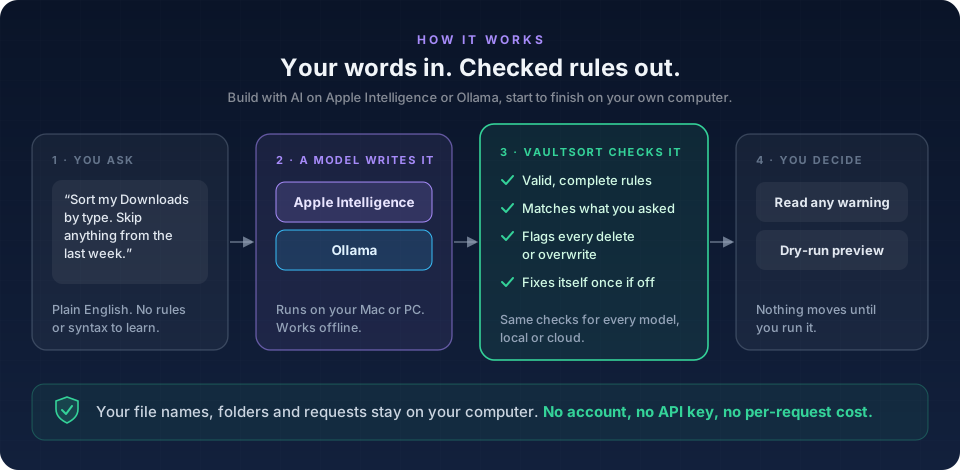
So 5.5 doesn't take any model's word for it. Every answer, from every provider, local or cloud, goes through the same checks before you see it:
- The rules must be valid and complete. That means real categories, real date units, real paths, and at least one action that actually does something.
- The rules must match what you asked. If you mentioned a date or a size and the rules ignore it, VaultSort notices.
- Every delete and every overwrite is surfaced. If AI-built rules would move files to the Trash or replace existing files, you're told, every time, whatever your request said.
- One automatic repair. If something is off, VaultSort sends the model the exact problem and asks it to fix it. Often, that's all it takes.
If the rules still don't check out, Build with AI holds them back and shows you why. Nothing is saved or run until you've read the warning and chosen to open the job anyway:
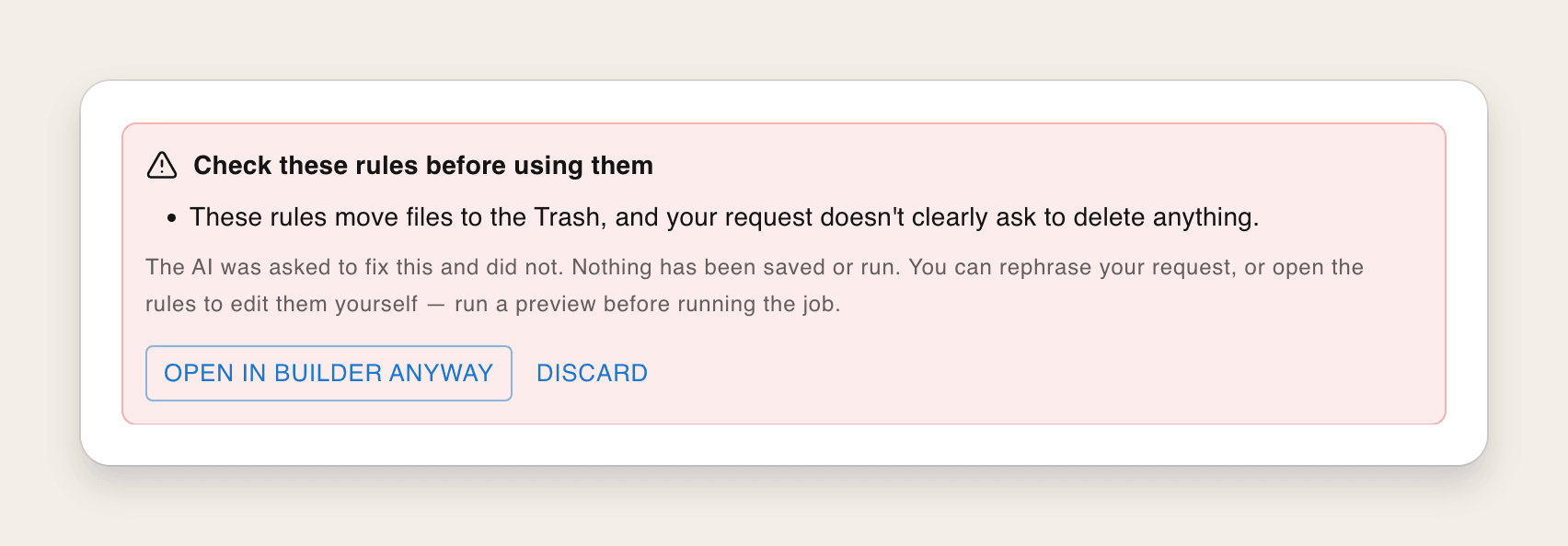
After that, the usual safety net still applies: the job opens in the Visual Rule Builder, where you can preview a dry run before a single file moves.
Recommended specs
Apple Intelligence needs no tuning. If your Mac can run it, it runs in VaultSort:
- An Apple silicon Mac (M1 or later)
- macOS 26 or later
- Apple Intelligence turned on in System Settings → Apple Intelligence & Siri
VaultSort checks how much the on-device model can take. On current releases of macOS, that's enough for the Storage Advisor and for simple Build with AI requests. If your version of macOS ships a smaller model, VaultSort uses it for the Storage Advisor only, and says so in Settings.
Ollama depends on how much memory your computer has. On a Mac, that's the unified memory shown in About This Mac. On a Windows PC, it's mainly your graphics card's video memory (VRAM).
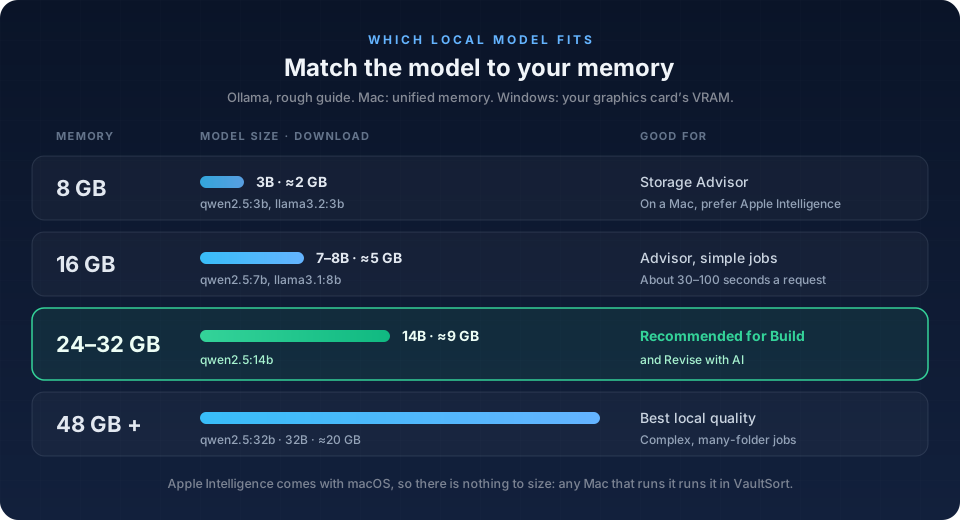
| Memory | Model to try | Good for |
|---|---|---|
| 8 GB | qwen2.5:3b (3B, about 2 GB) |
The Storage Advisor. On a Mac, Apple Intelligence is the better pick. |
| 16 GB | qwen2.5:7b or llama3.1:8b (7–8B, about 5 GB) |
The Storage Advisor and simple jobs |
| 24–32 GB | qwen2.5:14b (14B, about 9 GB) |
Recommended for Build and Revise with AI |
| 48 GB or more | qwen2.5:32b (32B, about 20 GB) |
The best local results on complex jobs |
A few things to know:
- Bigger models write better rules. In our testing, models of 14 billion parameters and up were noticeably more reliable at turning a nuanced request into correct rules. That's why VaultSort's settings recommend them for Build with AI.
- Local is slower than the cloud. On a 16 GB Mac, a 7B model took 30 to 100 seconds per request. The first request after a while takes longest, because the model has to load into memory. A GPU-equipped PC or a Mac with more memory is much quicker.
- Windows without a capable graphics card still works, running on the processor, but it's much slower. Stick with a small model for the Storage Advisor.
- VaultSort itself runs on Apple silicon Macs and on 64-bit Windows 10 and 11. See the full system requirements.
Which should you choose?
- On a Mac with Apple Intelligence? Start there. It's free, instant to set up, and handles most everyday requests. If you have a cloud key, turn on Use Apple Intelligence first and get the best of both.
- Want the strongest local results, or on Windows? Use Ollama with the largest model your memory allows, ideally 14B or more.
- Want the fastest, most capable answers and don't mind the cloud? OpenAI, Anthropic and Gemini are all still there, and Anthropic requests now reuse VaultSort's instructions between calls, so repeat requests cost less.
Get started
- Update to VaultSort 5.5. Use Check for Updates… in the VaultSort menu, or download it.
- Open Settings… → AI and choose Apple Intelligence or Ollama.
- Head to Advanced Organize → Create New Job → Create with AI, and describe what you want.
New to Ollama, or not sure Apple Intelligence is switched on? Our step-by-step setup guide covers installation, choosing a model, and what to do if something doesn't connect.
Build with AI and Revise with AI are part of a VaultSort licence. One licence covers six devices, in any mix of Mac and Windows. See pricing.
FAQ
Is it really free to use? With Apple Intelligence or Ollama, yes. There is no API key, no account and no per-request charge, because the model runs on hardware you already own. Build with AI and Revise with AI themselves are part of a VaultSort licence.
Does it work offline? Yes. Apple Intelligence and a local Ollama server both work with no internet connection. You only need to be online to download Ollama models in the first place.
Do my files get uploaded anywhere? No. With Apple Intelligence, or with Ollama on the same computer, nothing leaves the machine. And whichever provider you use, VaultSort sends the model your request and a summary of your folders, never the contents of your files.
Does Apple Intelligence work on Windows or Intel Macs? No. Apple Intelligence needs an Apple silicon Mac. On Windows, use Ollama. VaultSort for Mac is Apple silicon only.
Can a local AI delete my files? Not without you seeing it first. Any delete or overwrite that an AI adds to a job is flagged before the job is saved, and nothing runs until you run it. You can preview every job with a dry run first.
Can I still use OpenAI, Claude or Gemini? Yes. All three are still supported, and you can combine them with Apple Intelligence using Use Apple Intelligence first.
Which Ollama model should I start with?
qwen2.5:14b if you have 24 GB of memory or more, qwen2.5:7b or llama3.1:8b on 16 GB. The setup guide has the details.
Private, local AI isn't a compromise any more. It's the default we'd recommend. Update to VaultSort 5.5 and give it a sentence to work with.