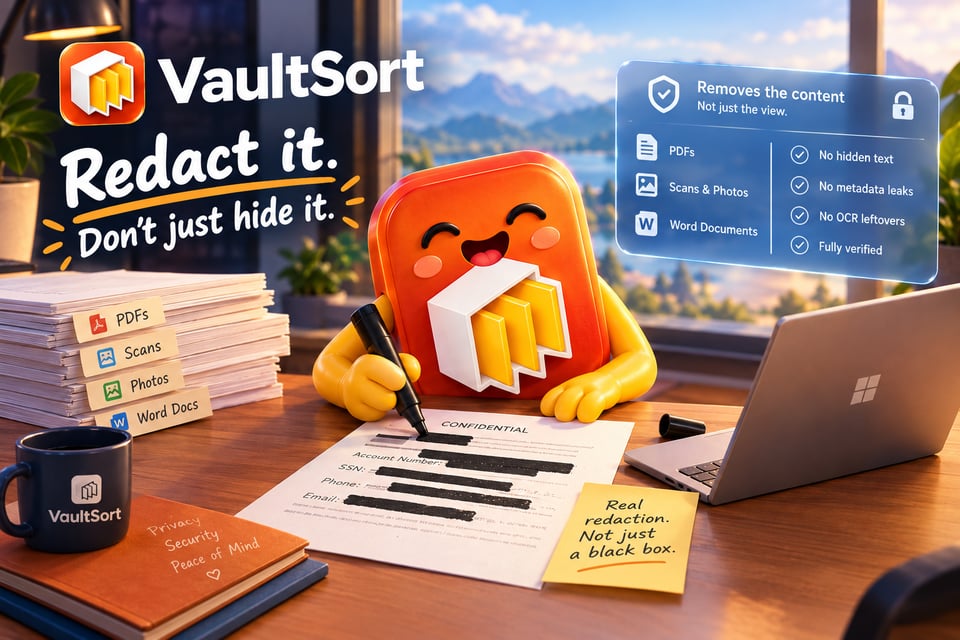
Every few months a "redacted" document makes the news for the wrong reason. A court filing or government report goes out with names and account numbers under neat black bars, and within hours someone has copied the text out from underneath them.
The people who made those documents weren't careless. They just didn't know that a black box over text only covers it. The words are still in the file. Select, copy, paste, and there they are.
VaultSort 5.6 fixes that. It adds Redact a Document: real redaction for PDFs, scans, photos and Word files that runs entirely on your own Mac or PC.
Try this on a "redacted" PDF you've received
- Open it and press ⌘A (or Ctrl+A) to select everything.
- Copy, and paste into any text editor.
If the hidden words appear, the document was never redacted. It was decorated.
The same text often hides in other places too:
- Search: it still finds words under the box.
- Meta the title and author fields can hold a name or case number.
- Bookmarks, comments and form fields: each can repeat what you covered.
- Embedded fonts: these keep the shapes of the letters that were used.
- Scanned pages: an invisible OCR layer no one ever touched.
What VaultSort does instead
It removes the content, not just the view of it. VaultSort deletes the text under every box, the letter shapes in the embedded fonts, and the copies a PDF keeps in metadata, bookmarks, comments, form fields and attachments. If a page can't be edited precisely, it becomes an image of the original with the boxes painted in. It is never left half-done.
It checks its own work before saving. No other redaction tool we know of does this by default, and it's the part we're proudest of. VaultSort compares every changed page with the original. Then a second, independent PDF reader searches the result for everything you marked. If a single character survives, nothing is saved, and you're told why. A file that only looks redacted never leaves the app.
It finds what you'd miss. Suggestions find card numbers, IBANs, account and policy numbers, Social Security numbers, emails, phone numbers, dates of birth, and passwords or API keys. Card numbers and IBANs are validated by their check digits, so random numbers don't set off false alarms. Search any name and Redact every match marks it on every page at once, because the one you miss is always on page 14.
It handles real paperwork, not just tidy PDFs:
- Scanned PDFs: read with the text recognition built into macOS and Windows, on your computer.
- Photos (JPEG, PNG, HEIC and more): the marked area is painted black and the image is saved from its pixels alone, so GPS location and camera details are left behind.
- Word documents (.docx): marked text is replaced in the document itself. Tracked changes, comments, properties and other hidden places are cleared.
It gives you a way back, if you want one. You can save an optional restore file next to the redacted copy: your original, encrypted with a password you choose. Send the redacted copy, keep the restore file, and you can always recover the original.
Why VaultSort, and not the alternatives
Free online redaction sites have an obvious problem: to redact a document, you first upload it, unredacted, to someone else's server. That's the opposite of what redaction is for. VaultSort never uploads anything. There's no account, and it works offline.
Professional PDF editors can redact properly, but redaction usually lives in their top tier, sold by subscription, per person, every year. VaultSort is $24.99 once: a lifetime licence for up to 6 Macs or PCs. That licence also covers everything else VaultSort does: file organization, duplicate cleanup, secure deletion and the hardware-key encrypted Vault.
And almost nobody checks the result. Most redaction failures aren't failures of the tool. They're failures nobody noticed. VaultSort's independent check turns "I think it's redacted" into "a second reader looked for every marked term and found nothing."
Who it's for
If you've ever sent a document and thought "they don't need to see that part," this is for you:
- Lawyers and paralegals: filings, exhibits and discovery productions.
- Therapists, clinics and practice managers: records and insurance paperwork sent to third parties.
- HR and recruiting: investigation files, references and payroll documents.
- Accountants and tax preparers: returns, W-2s and statements with SSNs and account numbers.
- Real estate agents and mortgage brokers: pay stubs, bank statements and IDs.
- Insurance professionals: claims files, policies and adjuster reports.
- Journalists and researchers: source documents published without exposing the people in them.
- Government and FOIA officers: public records with exempt material truly removed.
- Schools and landlords: student records, rental applications and leases.
- Everyone else: a bank statement for a visa, an ID for a rental, a bill for a dispute.
Try it free
Every copy of VaultSort includes 3 free redactions, with no account needed. Update from VaultSort → Check for Updates…, or download 5.6:
To open it:
- In the app: Protect → Redact a Document.
- From Finder or File Explorer: right-click any PDF, Word file or image and choose Redact with VaultSort….
- From your Vault: Share a redacted copy sends a file without the original ever leaving it.
Want the full walkthrough? Read How to Redact a PDF Properly (and Why a Black Box Isn't Enough).
In case you missed it: private AI arrived in 5.5
We shipped this last release and never told you about it.
VaultSort's AI can now run entirely on your own computer. Build with AI, Revise with AI and the AI Storage Advisor work with two local engines:
- Apple Intelligence: the model built into macOS. There's nothing to download, no account and no API key. Choose it in Settings → AI.
- Ollama: run the open model of your choice, such as Llama, Qwen or Mistral, on Mac or Windows.
Your file names, folders and requests always stayed on your machine - now your prompts do too. It works offline and costs nothing per request. OpenAI, Anthropic and Gemini are still there when you want them, and an on-device-first switch tries the local model before handing off.
We also made AI-built jobs safer. Every answer from every model, local or cloud, is now validated and compared against what you actually asked for. And an AI can never add a delete or an overwrite without VaultSort telling you.
This is where 5.5 and 5.6 meet. Redact a Document can suggest the names, addresses and organisations in your document, but only with an on-device model: Apple Intelligence or Ollama running locally. Cloud providers are never used for redaction suggestions, and that's deliberate. A document you're redacting is, by definition, one you don't want to send anywhere. If you've already set up Apple Intelligence or Ollama for 5.5, redaction suggestions work straight away.
Read more about private AI in VaultSort →
Questions, ideas, or a document VaultSort couldn't handle? Just reply to this email. We read every one.
Know a friend who needs a document redaction tool? Forward them this email!
Thanks for using VaultSort,
Justin
Ready to Secure Your Mac?
Experience the latest features and security improvements mentioned in this update. Join thousands of Mac users who trust VaultSort to organize and protect their files.